
Start your project with reliable, scan-accurate documentation you can trust.





Trusted by Homeowners, Architects & Contractors for Field-Verified
Residential Documentation
Planning a home renovation, remodel, or addition? Start with accurate as-built drawings. At LiDAR Precise Plans, we provide reliable residential 3D scanning and as-built laser scanning services that give you the exact measurements and floor plans you need to move forward with confidence.
We scan single-family homes, custom estates, and multi-unit properties with precision and speed. Our process is fast, non-invasive, and fully compatible with your architect’s or contractor’s software. If you’re searching for a trusted provider for residential as-built documentation, we’re the team to call.
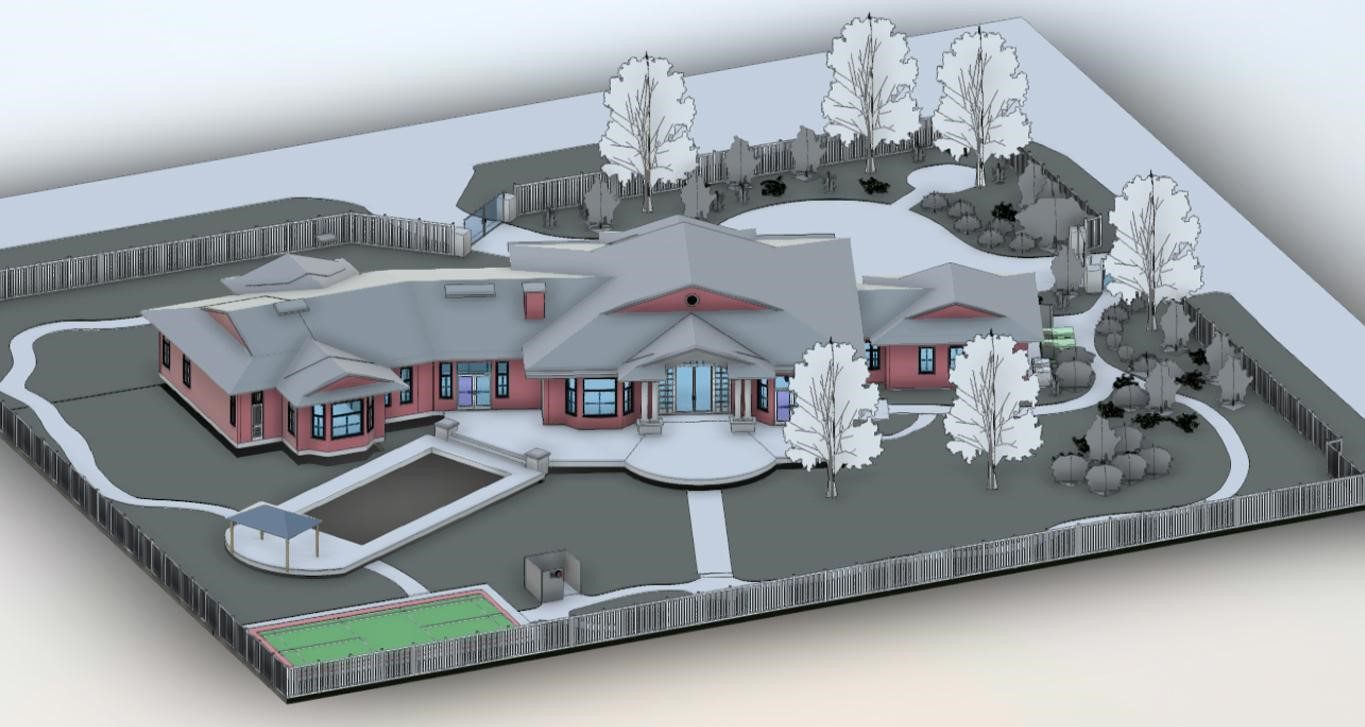
Why Accurate Residential As-Built Drawings Matter Before You Remodel
Most homes — especially older properties — do not reflect their original plans. Walls are moved, additions are built, ceiling heights change, and structural elements are modified over time. Designing from outdated or incomplete drawings increases the risk of miscalculations, permit delays, and costly change orders.
Field-verified residential as-built drawings provide an accurate snapshot of your home’s existing conditions before renovn begins. Uatiosing professional 3D laser scanning, we capture precise as-built measurements and convert them into dimensioned as-built floor plans, elevations, and existing conditions drawings that architects and contractors can trust.
Accurate as-built documentation helps:
- Prevent structural conflicts during demolition
- Reduce rework caused by measurement errors
- Streamline permit submissions
- Improve coordination between trades
- Support kitchen, bath, and full-home remodel planning
When your design team starts with reliable residential as-built drawings, they can focus on creativity and problem-solving — not correcting bad information.
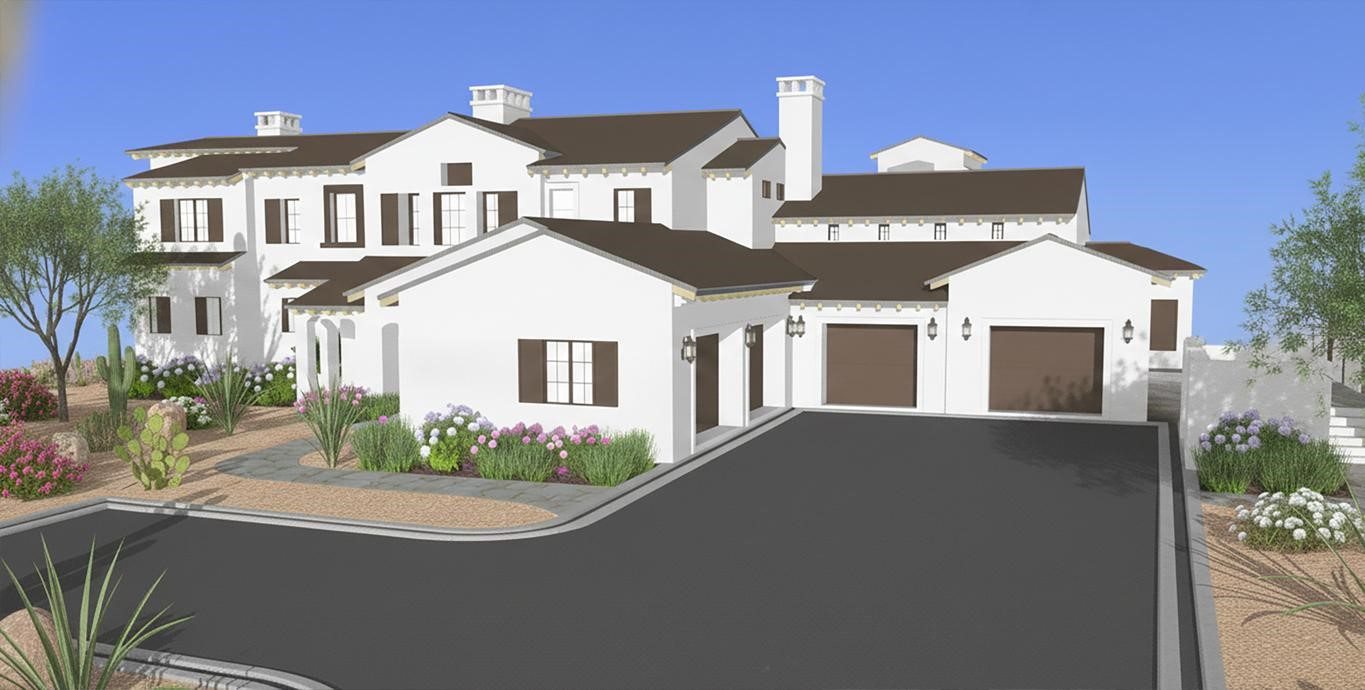
What We Include in Our Residential As-Built Drawings
We offer a full suite of residential deliverables tailored to your project scope and timeline. Here’s what you can expect:
As-Built Floor Plans for Renovations & Additions
We create detailed floor plans showing interior and exterior walls, windows, doors, built-in cabinetry, plumbing fixtures, staircases, and more. We also capture porches, garages, and attached structures when needed.
Reflected Ceiling Plans (RCPs) for Remodel Documentation
Our ceiling plans show lighting fixtures, ceiling fans, soffits, skylights, and structural elements
Exterior Elevations & Roofline Documentation
We provide front, rear, and side views of the home, including trim, windows, rooflines, siding, and architectural features — helpful for aesthetic upgrades or compliance with HOA or city design standards.
Interior Elevations for Residential Remodel Documentation
Interior elevations offer a straight-on view of individual walls in key areas such as kitchens and bathrooms. These drawings clearly show the placement of cabinets, countertops, appliances, and other items— making them valuable for construction planning and finish coordination.
Building Sections for Complex Remodels
Vertical building sections help visualize relationships between floors, roof slopes, and ceilings — ideal for larger remodels or complex structures
Non-Survey Site Plans for Additions & ADUs
We offer non-survey site plans showing hardscapes, decks, patios, pools, and landscape elements in relation to the home — useful for additions or ADUs.
CAD As-Built Drawings: DWG, PDF & RVT Deliverables
We deliver clean, organized CAD as-built drawings in AutoCAD (.DWG), Revit (.RVT), and PDF formats. For architecture and engineering teams, we also support scan-to-BIM workflows, converting registered point cloud data directly into coordinated Revit models. All files are internally QA/QC reviewed, dimensionally verified, and formatted for immediate use in your design workflow.
Need As-Built Drawings for a Remodel, Addition, or ADU?
A residential scan is only step one — the real value is a clean, field-verified drawing set your architect or contractor can design from. Our main As-Built Drawings page explains scope options, QA/QC, turnaround, and what you’ll receive.
Common residential deliverables:
- Dimensioned residential as-built floor plans (CAD/PDF)
- Exterior and interior elevations, building sections, and RCPs
- Non-survey site plans for additions and ADUs
- CAD as-built drawings delivered in DWG, RVT, and PDF formats
- Scan-to-BIM point cloud conversion for Revit workflows
- QA/QC-reviewed deliverables ready for permit and design
Who We Work With for Residential As-Built Drawings
Our residential as-built services are designed to meet the needs of:
- Homeowners planning kitchen and bathroom renovations, home additions, or full-home remodels who need accurate existing conditions drawings before meeting with their architect or contractor.
- Builders and general contractors who need verified as-built measurements before demolition, framing, or renovation begins — reducing rework, change orders, and field conflicts.
- Architects and designers who require field-verified residential as-built floor plans and existing conditions drawings compatible with AutoCAD and Revit workflows.
- Real estate professionals needing accurate residential as-built drawings to verify square footage, support property transactions, or document existing conditions.
- Property managers and investors overseeing single-family portfolios, multi-family properties, apartments, and condos who need consistent residential as-built documentation across multiple units.
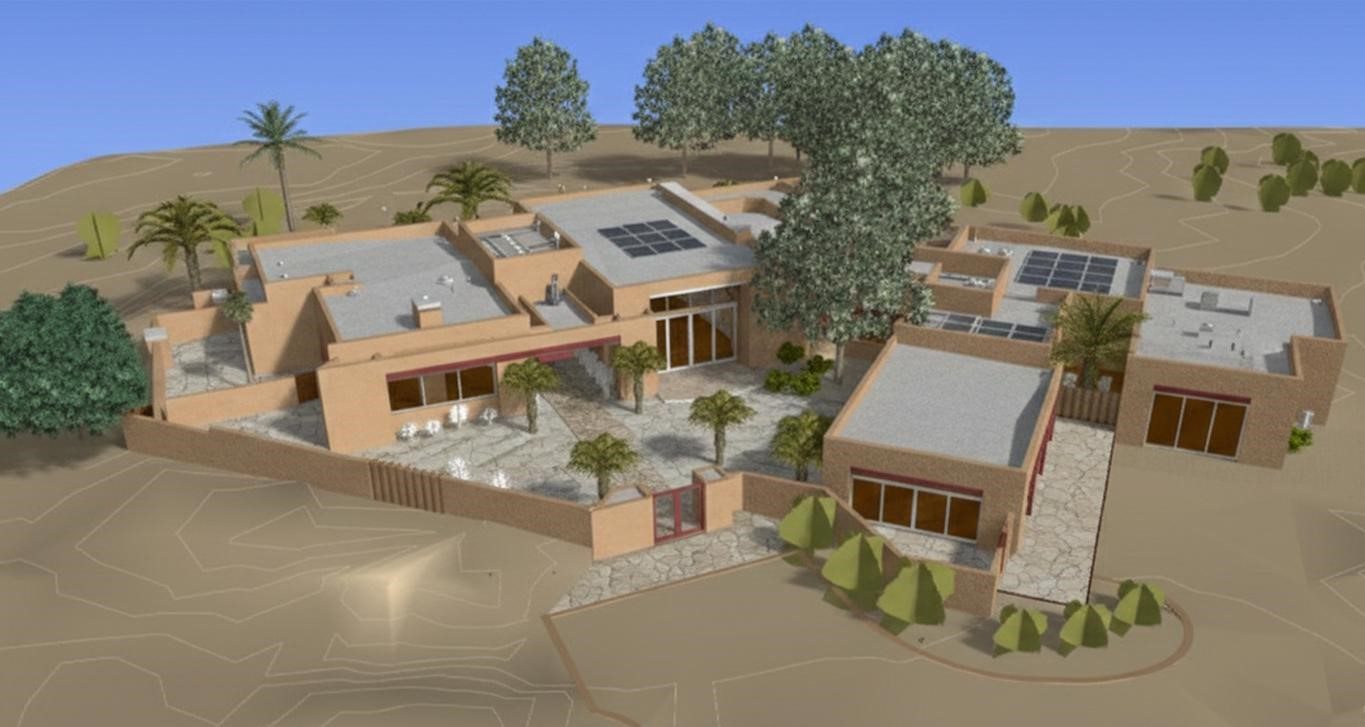
Why Professionals Choose LiDAR Precise Plans for Residential As-Built Drawings
Precision First
We use the Leica RTC360 — an industry-leading terrestrial laser scanner — to capture residential existing conditions with tolerances of ±1/8 inch or better. All scan data is registered, processed, and QA/QC verified before dimensioned as-built floor plans or residential as-built drawings are generated.
Fast Turnarounds
Most residential as-built drawings are delivered within 5–10 business days, depending on project scope and complexity. We maintain proactive communication throughout the process so your renovation, permitting, or design timeline stays on track.
Architectural Expertise
With over 27 years of experience in commercial and residential architecture, we don't just capture data — we understand how residential as-built drawings and existing conditions documentation are used in real design and construction workflows. Every deliverable is professionally formatted, dimensioned, and prepared to support architectural design, permitting, and contractor coordination.
Regional Coverage
We provide residential as-built drawings throughout Las Vegas, Phoenix, Los Angeles, San Francisco, Denver, Salt Lake City, Austin, and across Texas — with consistent quality standards and responsive local coordination in every market we serve.
Our Process: Residential Scanning Done Right
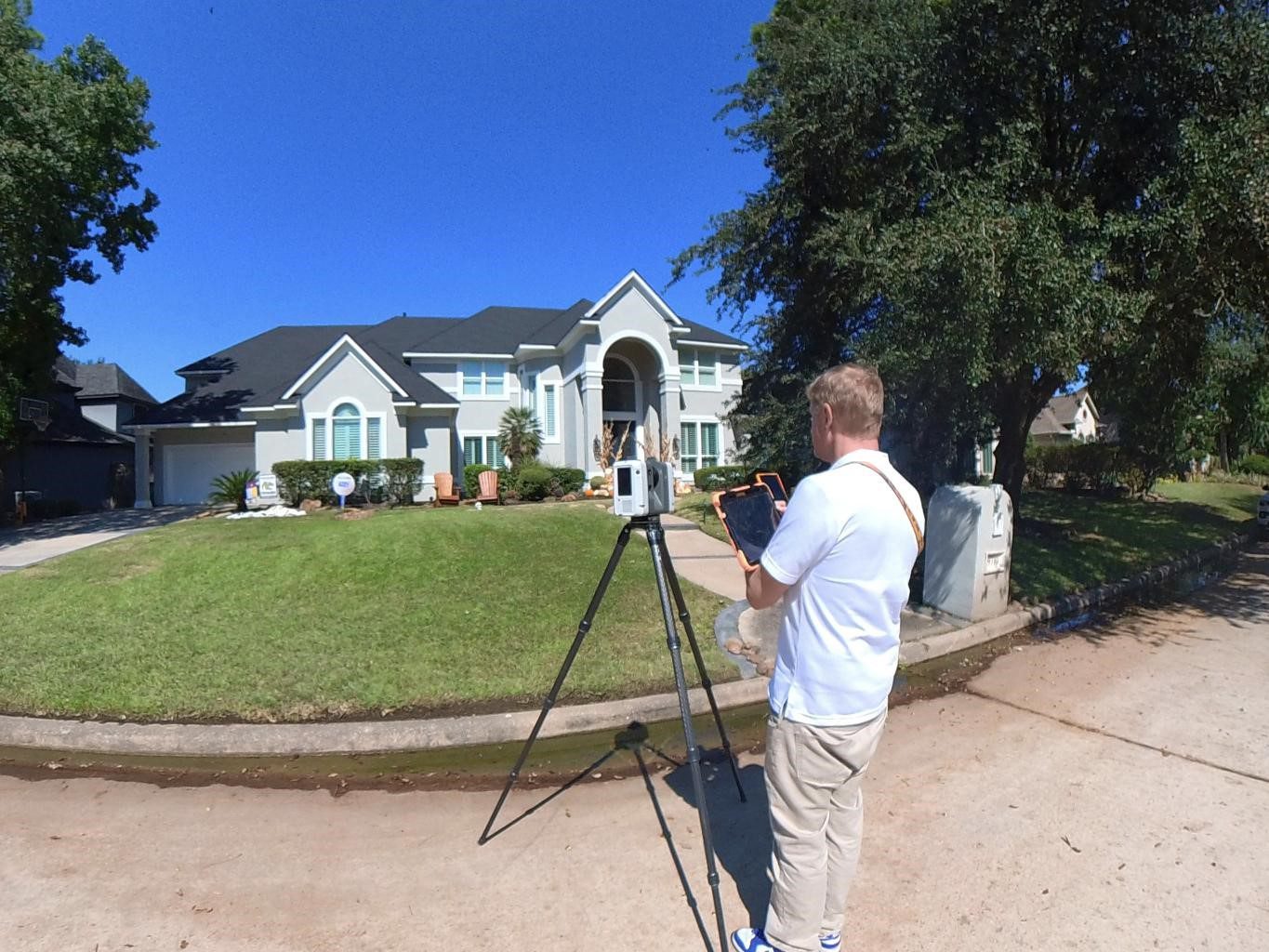
We’ve made the scanning and documentation process simple and efficient —here’s how we work:
1. Initial Scope Call
We gather key details about your home, project goals, and preferred deliverables.
If you’re unsure what you need, we’ll help define the best scope for your project.
2. On-Site 3D Scanning
Our team arrives with professional-grade LiDAR equipment and scans the property in just a few hours. You don’t need to move furniture or leave the home.
3. Data Conversion
The scan is converted into a colorized point cloud, then into floor plans, elevations, or models — all formatted and labeled for your workflow.
4. Quality Review
We verify dimensions, cross-check deliverables against your scope, and run internal quality checks to ensure accuracy.
5. Delivery
You receive your finalized as-built documentation, CAD or Revit files, and optional PDFs — with support included if your team needs help navigating the files.
What Our Clients Gain
When clients use our services, they gain more than just drawings — they gain clarity, confidence, and a smoother renovation experience. Here’s what they tell us they appreciate most:
- Precise field measurements
- Fewer change orders
- Better communication between trades
- Support for building permits
- Editable, digital documentation
- Less guesswork on site
Frequently Asked Questions
Yes! We scan many occupied homes, and we’re respectful of your space. No need to vacate or move furniture.
We can absolutely provide floor plans only — or add other views as your needs evolve.
Yes. Our as-built drawings are used by architects and permit consultants across multiple jurisdictions.
Definitely. We provide files in AutoCAD or Revit that are ready for your architect or design team to begin working with.
The cost of residential as-built drawings depends on the size of the property, number of floors, scope of deliverables, and your location. Most single-family home projects range from a few hundred to several thousand dollars depending on complexity. We provide free project quotes — contact us with your square footage and deliverable needs for an accurate estimate.
Most residential as-built drawing projects are delivered within 5–10 business days from the date of scanning. Larger homes, multi-story properties, or projects requiring Revit models may take additional time. We confirm turnaround timelines during your initial scope call.
Our residential as-built drawings typically include dimensioned floor plans, exterior and interior elevations, reflected ceiling plans, and building sections as needed. We also provide non-survey site plans for additions and ADUs. All deliverables are QA/QC reviewed and delivered in CAD (.DWG), Revit (.RVT), and PDF formats.
Yes. We create field-verified as-built floor plans and elevations specifically for home renovations and remodels. Our drawings capture existing wall locations, window and door openings, ceiling heights, and architectural features — giving your design team an accurate foundation before remodel work begins.
Yes — 3D laser scanning is our primary method for capturing residential existing conditions. We use the Leica RTC360 to scan the property, register and process the point cloud data, and convert it into accurate as-built floor plans, elevations, and Revit models. The result is significantly more accurate than hand-measured drawings.
We deliver CAD as-built drawings in AutoCAD (.DWG), Revit (.RVT), and PDF formats depending on your project needs. For architecture and engineering teams requiring BIM deliverables, we support scan-to-BIM workflows that produce coordinated Revit models directly from registered point cloud data.
Our residential as-built drawings are produced using the Leica RTC360 laser scanner, achieving tolerances of ±1/8 inch or better under normal conditions. All scan data is registered, processed, and QA/QC verified before drawings are generated — making our deliverables accurate enough for architectural design, permit submissions, and contractor coordination.
Yes. We work directly with architects, designers, and general contractors on residential remodel projects of all sizes. Our as-built floor plans and existing conditions drawings are formatted for immediate use in AutoCAD and Revit workflows, and our files are compatible with standard permit submission requirements across all markets we serve.
Ready to Get Started?
If you’re planning a renovation, addition, or home upgrade, don’t start blind. Our residential as-built drawings give you the accurate documentation needed to move forward confidently.
- Let’s talk about your home project
- Serving Las Vegas, Phoenix, Los Angeles, San Francisco, and Denver