

Here’s a conversation that happens on commercial projects constantly: an architect asks the GC for “record drawings” at closeout. The GC hands over a set of redlined blueprints. The architect says those aren’t record drawings. The GC says they absolutely are. The owner is caught in the middle wondering why they’re paying for a disagreement over terminology.
The words get used interchangeably on job sites, in contracts, and in RFPs — but they don’t all mean the same thing. And when you’re making decisions about a renovation, a lease transaction, or a permit submittal, that distinction matters more than you’d think.
This post breaks down exactly what separates as-built drawings from record drawings from redlines — and where shop drawings and construction drawings fit into the picture — so you know precisely what you’re asking for and what you should expect to receive.
QUICK ANSWER
As-built drawings and record drawings both document how a building was actually constructed — but they differ in who prepares them and how polished they are. Redlines are rough field markups made during construction. Construction drawings show what was designed to be built. Shop drawings show how a contractor plans to build a specific component. They are not interchangeable — and treating them as if they are is how projects end up with documentation that can’t be trusted.
The Four Terms — Defined Clearly
As-Built Drawings
As-built drawings are construction documents that have been revised to reflect all modifications, substitutions, and deviations made during the construction process. They represent the physical conditions of a completed building as it actually exists today.
In commercial practice, “as-built drawings” is the broadest and most widely used term. It covers everything from rough contractor markups to fully drafted, professionally produced CAD or Revit documentation. What the term should mean — and what owners and architects should demand — is a complete, field-verified drawing set that accurately reflects existing conditions.
A professional as-built drawing set typically includes:
→ Floor plans (walls, dimensions, and room layouts as built)
→ Reflected ceiling plans (lighting, HVAC diffusers, sprinkler heads, soffits)
→ Elevations (interior and exterior vertical views)
→ Sections (cut-through views showing floor heights and ceiling cavity depths)
→ MEP plans (mechanical, electrical, and plumbing system layouts)
For a full breakdown of what a professional as-built drawing set contains, see: What Are As-Built Drawings? Meaning, Definition & Why They Matter
Record Drawings
Record drawings are a specific subset of as-built documentation — typically the clean, professionally drafted version produced by the architect of record after construction is complete. The architect incorporates contractor-provided redline markups, RFI responses, change orders, and field modifications into a revised drawing set that becomes the official project closeout document.
The key distinction: record drawings are prepared by the design team, not the contractor. They carry the architect’s or engineer’s title block, seal, and responsibility for accuracy.
In practice:
→ Record drawings = architect-produced, professionally drafted, issued at project closeout
→ As-built drawings = broader term; can mean anything from a rough redline set to professionally laser-scanned CAD documentation
Here’s the practical reality: on most commercial projects, what owners receive at closeout is called “record drawings” but is really just the original design intent drawings with a contractor’s redlines incorporated — sometimes inaccurately, sometimes incompletely. That’s not the same thing as field-verified existing conditions documentation.
Redlines (Red-Line Markups)
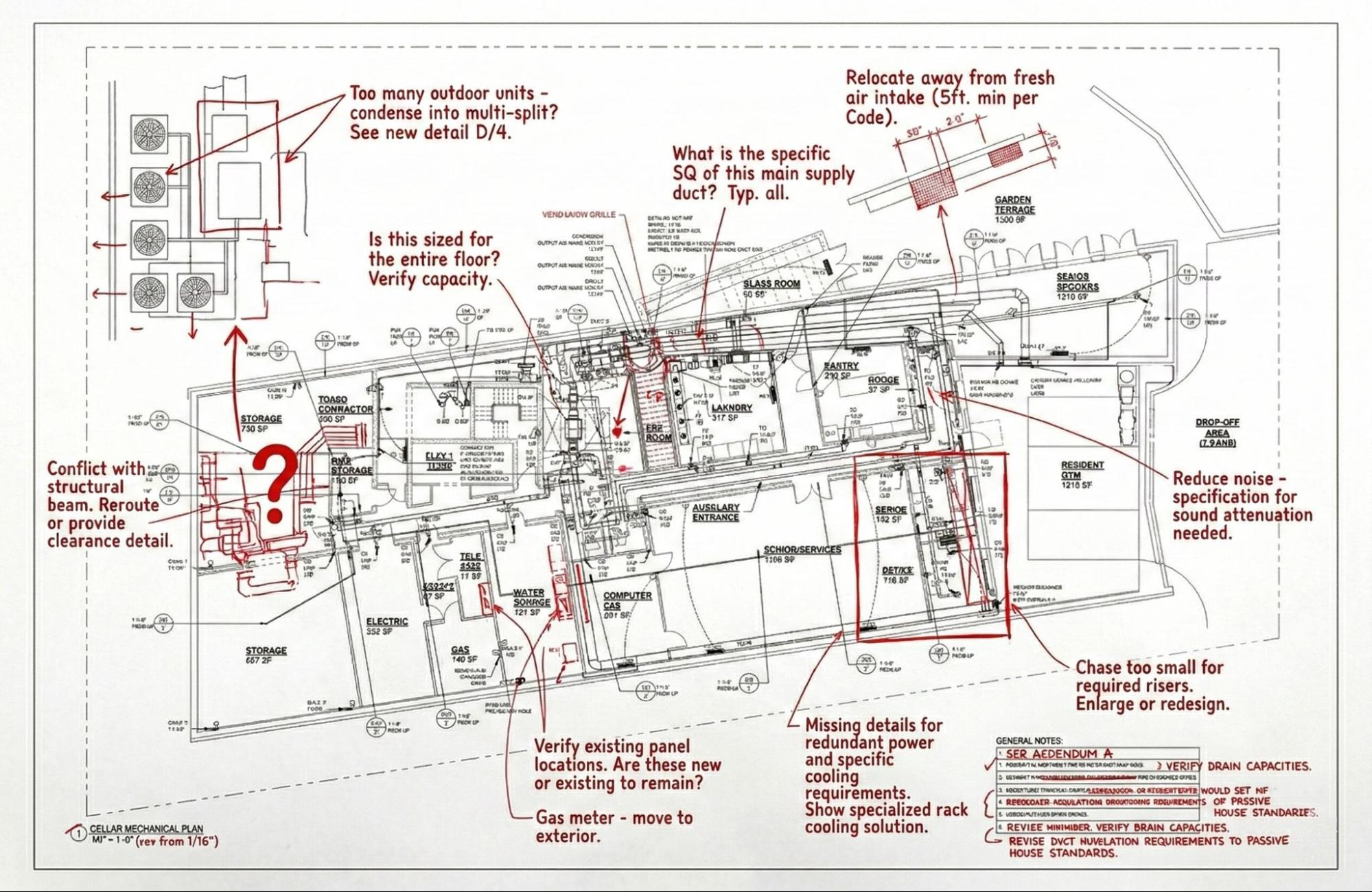
Redlines — sometimes called red-line drawings or contractor markups — are annotated paper prints of the original construction documents made by field personnel during construction. Changes are marked in red pen (hence the name): a wall that shifted, a pipe rerouted, a panel relocated. At the end of a project, the contractor is typically contractually obligated to submit a complete redline set to the architect.
Redlines are the starting point — not the finish line. They are:
→ Handwritten, not drafted
→ As accurate as whoever remembered to mark them up
→ Subject to omissions, illegible notes, and missing dimensions
→ Not suitable for use as design documents for future renovation
If a contractor hands you a set of redlines and calls it “as-built documentation,” push back. Redlines are source material. A professional as-built drawing set is the finished product derived from them — field-verified, drafted to scale, and deliverable in CAD or PDF format.
Construction Drawings
Construction drawings — also called design drawings, permit drawings, or contract documents — are the drawings produced by the architect and engineer of record before and during construction. They show what was designed and intended to be built, not what was actually built.
Construction drawings are not as-built drawings. They are design intent documents. No matter how detailed or recent they are, they cannot be trusted as documentation of existing conditions unless they have been explicitly field-verified and updated post-construction.
A common and costly mistake: facility managers and owners treating original construction drawings as the building record. Every building deviates from its drawings during construction — and those deviations compound with every renovation. Construction drawings tell you what was planned. As-built drawings tell you what exists.
As-Built Drawings vs Record Drawings: A Direct Comparison
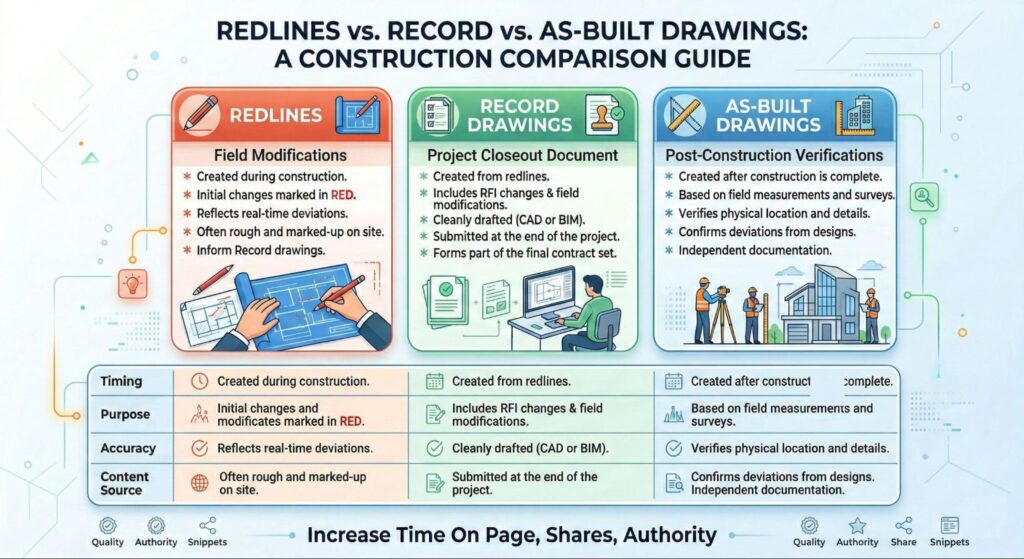
| Redlines | Record Drawings | As-Built Drawings | |
| Who prepares them | Contractor / field personnel | Architect of record | Contractor, documentation specialist, or as-built firm |
| Format | Handwritten markups on paper prints | Clean drafted drawings | CAD, PDF, or Revit — varies by provider |
| Accuracy | Inconsistent — depends on field discipline | Better, but only as good as the redlines provided | Highest when produced from 3D laser scanning |
| When produced | During construction | At project closeout | Post-construction, on-demand |
| Best use | Internal tracking during construction | Official project record | Renovation design, permitting, facility management |
| Suitable for design | No | Sometimes | Yes — when field-verified |
Where Shop Drawings Fit In
Shop drawings are a completely different document type that often gets confused in the as-built conversation — especially at closeout.
Shop drawings are prepared by contractors, subcontractors, fabricators, or suppliers before construction to show how they intend to build, fabricate, or install a specific component: a custom millwork unit, a structural steel connection, a mechanical equipment package. They’re submitted to the architect for review and approval before work begins.
Shop drawings look forward. As-built drawings look backward.
→ Shop drawings = fabrication and installation intent, prepared pre-construction
→ As-built drawings = documentation of what was actually built, produced post-construction
One of the most common points of confusion: on retail and hospitality projects, owners sometimes receive a package of shop drawings at project closeout and assume it constitutes as-built documentation. It doesn’t. Shop drawings show what was intended to be installed — not necessarily what ended up installed, and certainly not with field-verified dimensions of the surrounding structure.
As-Built Drawings vs Construction Drawings: Why the Distinction Matters
The gap between construction drawings and as-built drawings widens with every project and every year that passes. On a building that’s five years old and has been through one renovation, the original construction drawings may be meaningfully inaccurate. On a building that’s twenty years old and has been through three tenant improvements, they’re essentially useless as a design tool.
Every time a renovation happens without accurate as-built documentation, the next project starts from an even less reliable baseline. The inaccuracies compound. Change orders pile up. Demo day keeps producing surprises.
The solution is field-verified existing conditions documentation — produced not from the original drawings, but from direct measurement of the building as it stands today.
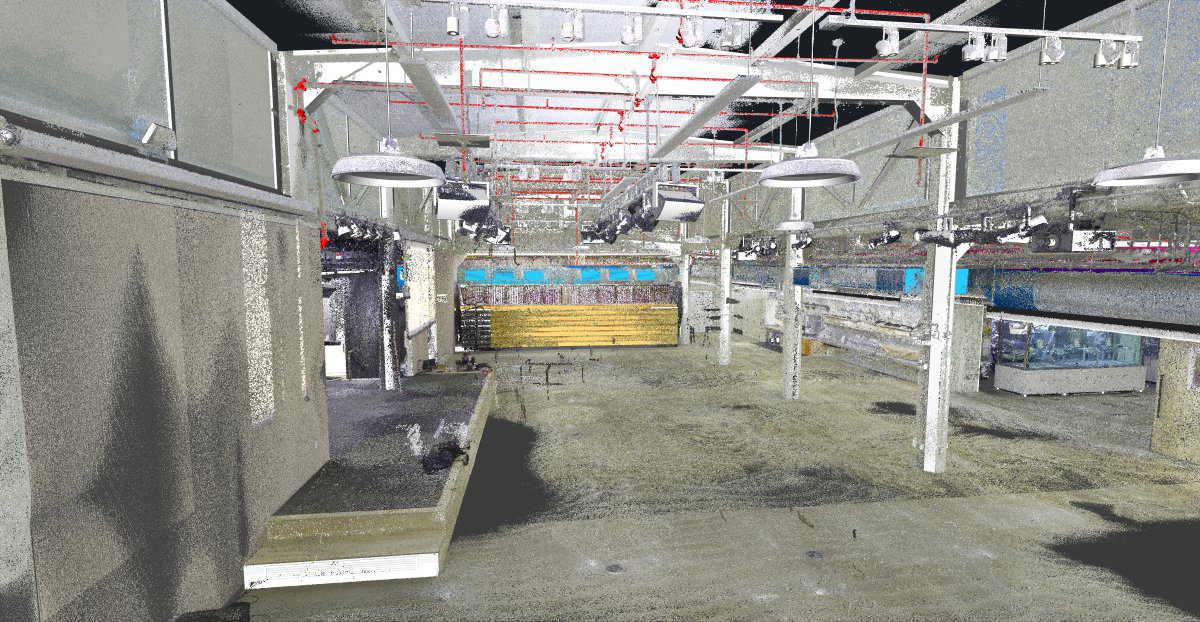
At LiDAR Precise Plans, every as-built project starts with a full 3D laser scan of the existing space. No assumptions carried forward from design drawings. No reliance on what the building was supposed to look like. Just precise documentation of what actually exists — accurate to within millimeters across spaces of any size.
Which Document Type Do You Actually Need?
The right answer depends on what you’re trying to accomplish.
You need as-built drawings if you’re:
→ Planning a renovation or tenant improvement and need existing conditions as your design baseline
→ Applying for a permit and the building department requires documentation of existing construction
→ Managing a commercial portfolio and need accurate records for each property
→ Leasing space and need verified floor area documentation
You need record drawings if you’re:
→ Closing out a new construction project and need official documentation for the building owner and permitting authority
→ Archiving final construction documentation for a newly completed building
You need redlines if you’re:
→ Tracking field changes in real time during active construction (as an intermediate step, not a final deliverable)
You need construction drawings if you’re:
→ Still in the design or permitting phase of a new project — not as existing conditions documentation
📐 Need Field-Verified As-Built Documentation?
LiDAR Precise Plans produces professionally documented as-built drawing sets for commercial properties across Las Vegas, Phoenix, Los Angeles, San Francisco, Denver, Salt Lake City, and Austin. Every set starts with a 3D laser scan — not assumptions from old blueprints — and is delivered in PDF, AutoCAD, and Revit formats.
→ See our As-Built Drawings Service.